Can You Play Free Fire on PS4? – Complete 2026 Guide
Free Fire is one of the world’s most popular battle royale games, with hundreds of millions of players across Android and iOS. But if you own a PlayStation 4 and are wondering whether you can enjoy Free Fire on the big screen, you are not alone. This complete guide answers every question about Free Fire on PS4, including unofficial workarounds, best PS4 alternatives, and what the future might hold.
Quick Answer: Free Fire is NOT officially available for PlayStation consoles. It is a mobile-exclusive game by Garena. However, there are some unofficial workarounds that let you play it on a bigger screen using your PlayStation 4 setup.
Both the main game and the Free Fire Advance Server are made for phones, not consoles.

What Is Free Fire? A Quick Overview
To address PS4 compatibility, let’s first clarify Free Fire’s identity and worldwide appeal.
Free Fire – The Game at a Glance
Free Fire (officially Garena Free Fire) is a mobile battle royale game developed and published by Garena. Launched in 2017, it quickly became one of the most downloaded mobile games worldwide, especially in Southeast Asia, South Asia, Latin America, and the Middle East.
Key Features That Make Free Fire Unique
- Short, fast-paced matches of just 10 to 15 minutes
- Up to 50 players drop onto an island and fight until one team wins.
- Unique characters, each with special abilities and skills
- Smooth performance on low-end Android and iOS devices
- Regular updates with new events, maps, and collaborations
- Completely free to download and play on mobile
- Massive esports tournaments like the Free Fire World Series
Because Free Fire was built specifically for mobile touchscreen controls and lightweight hardware, it was never designed for consoles like the PS4.
This means a Free Fire Advance Server activation code will not work on a PlayStation.

Can You Play Free Fire on PS4 Using Workarounds?
Even though Free Fire is not officially available on PS4, some clever players have found unofficial workarounds to play it on their PS4. Here is a breakdown of each method.
Screen Mirroring Your Phone to the TV
To mirror your Android or iOS phone to the TV connected to your PS4, first ensure your phone and TV are on the same Wi-Fi network. Open a screen-mirroring app like Google Home, Samsung SmartThings, or AirPlay (on iOS), select your TV, and start casting your screen. The game will run on your phone while you view it on the larger TV display.
- Use apps like Google Home, Samsung SmartThings, or AirPlay (iOS) to cast your phone screen to a Smart TV.
- Even if your TV is connected to a PS4, the game is still running on your phone; the PS4 itself is not processing anything.
- You play using your phone’s touchscreen, just on a much larger display.
This method is great for watching Free Fire on a bigger screen, but it does not give you the full console gaming experience.
If you stick to mobile, you can read how to get name change card in Free Fire instead.
Using a Bluetooth Controller With Your Phone
Many Free Fire players prefer controller controls to touch controls. Here is how to set it up:
- Connect a Bluetooth game controller, including some PS4 DualShock 4 controllers, directly to your Android phone via Bluetooth.
- Install a controller mapping app like Mantis Gamepad Pro or Octopus. Open the app, select Free Fire, and map the buttons according to your preferences. This enables you to play Free Fire with your controller and customized inputs.
- Then mirror your phone’s screen on the TV for a big-screen experience.
This approach gives you a PlayStation-like feel, but Free Fire still runs on your phone, not the PS4.
Emulator on PC + PS4 Controller
This is the closest you can get to a real console experience:
- Download and install the BlueStacks Android emulator on your Windows PC. Open BlueStacks and follow the setup instructions to access the emulator.
- Download and install Free Fire inside the emulator.
- Connect your PS4 DualShock 4 controller to your PC. Use a USB cable or enable Bluetooth, then pair the controller with your PC following the on-screen instructions.
- Open the emulator’s key mapping tool and assign the PS4 controller buttons to Free Fire game controls. Save your settings before you start playing.
- Play on your PC monitor or connect your PC to the TV for a larger screen setup.
This method offers the smoothest gameplay experience among all workarounds and is recommended for serious players who want controller-based controls.
Important Warnings About Workarounds
It is critical to consider key points before attempting any Free Fire workaround for PS4. Observe these factors carefully:
- Not officially supported: These methods are not approved by Garena.
- Terms of service risk: Using third-party tools or controller mapping apps may break Free Fire rules
- Account risk: There is a small chance of account ban or restrictions
- Performance issues: You may face lag, delays, or control problems
- Security concerns: Some apps or tools may not be fully safe
Exercise caution with any workaround. Playing on official platforms (Android & iOS) remains the most secure and recommended approach.
Console players miss out on earning Free Fire Advance Server rewards.
Is Free Fire Available on PS4?
The Short and Direct Answer
No. Free Fire is unavailable on PlayStation 4. As of 2026, Garena has provided no version for PS4, PS5, Xbox, or any gaming console. Official listings are absent from the PlayStation Store.
Which Platforms Is Free Fire Officially Available On?
Free Fire is officially available only on these platforms:
- Android smartphones and tablets (via Google Play Store)
- iOS devices (iPhone & iPad) (via Apple App Store)
- Windows PC (unofficial support) using Android emulators like BlueStacks or LDPlayer
Will Free Fire Come to PlayStation Consoles in the Future?
Current Status as of 2026
As of 2026, Garena has made no official announcement about bringing Free Fire to any gaming console other than PS4, PS5, Xbox Series X, or Nintendo Switch. Free Fire remains a mobile-first franchise with no confirmed plans for consoles.
Could It Happen in the Future?
It is not impossible. Here are a few scenarios that could make a console version viable:
- If Free Fire’s mobile player base starts to decline, Garena needs to explore new markets.
- If cloud gaming platforms like PlayStation Now or Xbox Cloud Gaming make it easier to stream mobile games to consoles without full porting.
- If a competitor successfully ports a similar mobile battle royale to consoles and proves strong demand.
Free Fire MAX: Is It on PS4?
Free Fire MAX, with enhanced visuals and features, is still mobile-only. It’s available for Android and iOS, not PS4 or any gaming console.
Best Free Fire Alternatives You Can Play on PS4 Right Now
If you have a PS4 and crave the battle royale experience, here are the best games available on PlayStation that offer a similar thrill to Free Fire.
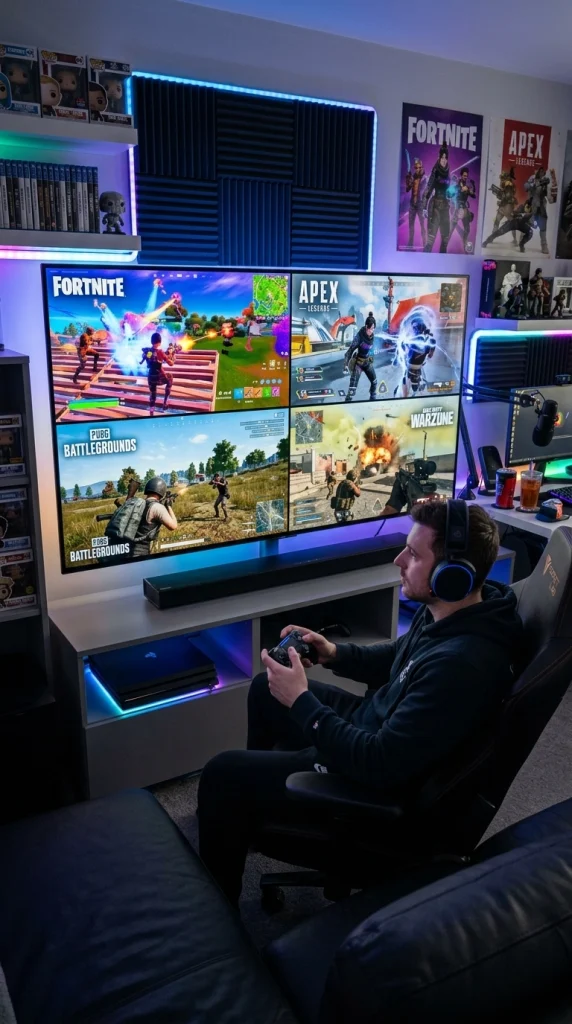
Fortnite Best Free Battle Royale on PS4
Fortnite is a free-to-play battle royale game on PS4. It has colorful graphics, building mechanics, and regular events & updates. If you like Free Fire gameplay, this is the closest free alternative on PS4.
Apex Legends Best Team-Based Battle Royale
Apex Legends is a fast-paced battle royale game where you play in 3-player squads. Each character has unique abilities, similar to those in Free Fire.It offers smooth gunplay and fast movement on PS4.
PUBG: Battlegrounds – Best Realistic Battle Royale
PUBG: Battlegrounds is a realistic battle royale game now free on PS4. It features large maps, realistic guns, and strategic survival gameplay. Great choice if you want a more serious version of Free Fire.
Call of Duty: Warzone Best Graphics and Action
Call of Duty: Warzone is a high-quality free battle royale with amazing graphics and intense action.It includes vehicles, large maps, and the Gulag system (a second chance to return).
Naraka: Bladepoint Best for Melee Combat Fans
Naraka: Bladepoint is a unique battle royale focused on sword fighting and martial arts.It’s perfect if you want something different from Free Fire’s gun gameplay.
Quick Comparison Table
Game | Free to Play | Battle Royale | Characters System | Available on PS4 |
Free Fire | Yes | Yes | Yes | No |
Fortnite | Yes | Yes | No | Yes |
Apex Legends | Yes | Yes | Yes | Yes |
PUBG: Battlegrounds | Yes | Yes | No | Yes |
Call of Duty: Warzone | Yes | Yes | No | Yes |
How to Use a PS4 Controller to Play Free Fire on Mobile
Even if your PS4 console cannot run Free Fire, you can still use your PS4 DualShock 4 controller to play the game on your Android smartphone. Here is a step-by-step guide.
Step-by-Step: Connect PS4 Controller to Android for Free Fire
Follow these simple steps to play Free Fire with a PS4 controller:
- Step 1: On your PS4 DualShock 4 controller, press and hold the PlayStation and Share buttons together until the light starts flashing (Bluetooth mode).
- Step 2: On your Android phone, go to Settings > Bluetooth, search for devices, and tap “Wireless Controller” to connect.
- Step 3: Download a controller mapping app from the Play Store, such as Mantis Gamepad Pro or Octopus.
- Step 4: Open the app and set up your Free Fire control layout. Map buttons for actions like shoot, jump, aim, and movement.
- Step 5: Launch Free Fire and start playing with your controller. For a better experience, connect your phone to a TV using HDMI or screen mirroring.
Important Notes:
- Not all Android devices fully support PS4 controllers.
- Android 10 or higher works best
- iPhone (iOS) supports controllers, but mapping apps are limited
- You may experience minor delays or control issues depending on your device.
Why Is Free Fire Not Available on PS4?
It is a fair question. Free Fire is incredibly popular, so why hasn’t Garena brought it to PlayStation? There are several strong business and technical reasons.
Free Fire Was Built Exclusively for Mobile
Free Fire was designed from the ground up for smartphones. Its touchscreen controls, lightweight graphics, and short match format are all optimized for mobile gaming. Adapting it to PS4 would require significant re-engineering of controls, UI, and graphics systems.
The Mobile Market Is Their Strongest Revenue Source
Garena’s revenue model relies heavily on in-app purchases of Diamonds, which players use to buy skins, characters, and bundles. This microtransaction model works extremely well on mobile but is more complicated on consoles, where Sony takes a cut and imposes different monetization rules.
Console Battle Royale Is Already Highly Competitive
The PS4 battle royale space is dominated by giants like Fortnite, PUBG, Apex Legends, and Call of Duty: Warzone. Entering this market would mean competing head-to-head with games that have dedicated console fanbases and years of optimization for controllers and large screens.
Free Fire's Core Audience Is on Mobile
Free Fire’s biggest markets, India, Brazil, Indonesia, Thailand, and the Middle East, are mobile-dominant gaming regions. The majority of Free Fire’s player base does not own a PS4. Building a console version for a relatively small portion of their audience does not make strong business sense right now.
Technical Porting Challenges
Bringing a mobile game to PS4 requires reworking the entire input system, redesigning the HUD and menus for TV screens, upgrading graphics to meet console standards, and going through Sony’s strict certification process. All of this requires massive development resources.
They also miss our great tips for how to get free skins in Free Fire.
Final Verdict: Can You Play Free Fire on PS4?
The simple answer is no, you cannot play Free Fire on a PS4 officially. The game is made only for mobile devices like Android phones and iPhones, and there is no official version for PlayStation.
Some players try different tricks to play on a bigger screen. For example, they connect their phone to a TV, use a PS4 controller with their phone, or play the game on a computer connected to a TV. These methods can feel like using a console, but the game is still running on your phone or PC, not on the PS4.
If you want to play a battle royale game on PS4, there are better options like Fortnite, Apex Legends, PUBG, and Warzone. These games are made for consoles and work smoothly on a big screen. For now, the best way to play Free Fire is on your mobile phone or by using an emulator on a PC.
Frequently Asked Questions
Can I download Free Fire from the PlayStation Store?
No. Free Fire is not available on the PlayStation Store and cannot be downloaded directly to a PS4 or PS5.
Is there a Free Fire console version coming in 2026?
No official announcement has been made as of 2026. Garena has not confirmed any plans for a PS4 or PS5 version.
Can I use PS4 Remote Play to run Free Fire?
No. PS4 Remote Play streams games from your PS4 console to your phone or PC. Since Free Fire is not installed on your PS4 in the first place, Remote Play cannot help.
Is Free Fire available on any console at all?
No. Free Fire is not available on PS4, PS5, Xbox One, Xbox Series X, Nintendo Switch, or any other gaming console as of 2026.
What is the best way to play Free Fire on a big screen?
The best unofficial way is to run Free Fire on a PC using the BlueStacks Android emulator and then connect your PC to a large monitor or TV. This gives you the best graphics and performance, plus the option to use a PS4 controller.
Can I play Free Fire on PS5?
No. Free Fire is not available on PS5 either. The PS5 does not support Android apps natively, and there is no official Free Fire version for any PlayStation console.

